Equipment records
Keep makes, models, serial numbers, specifications, condition and asset numbers in one searchable place.
An asset register for the working life of your IT. Bring equipment, people, locations and service information together in ITAM360.
After registration, in-app walkthroughs help you get to know ITAM360.
Look up equipment by asset number, make and model or serial number. Filter by category and location, and keep allocation details alongside each record.
Start with the equipment you already have. Manual entry, CSV import controls and scan-assisted capture tools provide different ways to build the register.
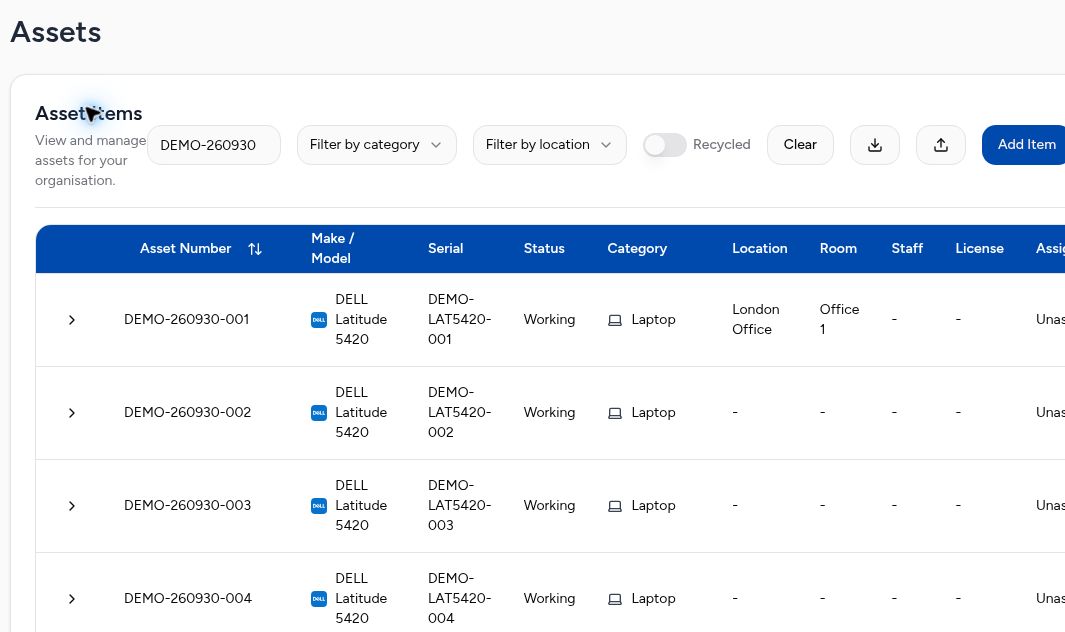
Keep makes, models, serial numbers, specifications, condition and asset numbers in one searchable place.
Allocate equipment to staff, sites and rooms, with linked accessories kept alongside the main device.
Record purchase and warranty dates, plan servicing and see what is expired or due soon.
See when an asset was last checked, who checked it and which records are overdue for verification.
View licensed, assigned and available quantities, expiry dates and the assets linked to each licence.
Select assets already in the register to create a collection draft. Review the collection details before requesting it.
Add equipment details or use the register’s import tools.
Link devices to staff, locations and rooms.
Keep warranty, service and physical-audit records together.
Select equipment to prepare a recycling collection.
Find job documents and outcomes as PC4 processes the collection.
You choose what leaves service and request a collection. PC4’s team handles the collection and processing; the portal keeps the records connected.
ITAM360 asset management is currently free to use. Collection, data processing and reporting services are quoted separately according to the service you agree with PC4 Recycling.
Create a business accountBusiness registrations are reviewed by PC4 Recycling before access is approved.
Talk us through the equipment you manage and the records you need. We can show you the asset register and how selected equipment moves into a recycling collection.
Enquire